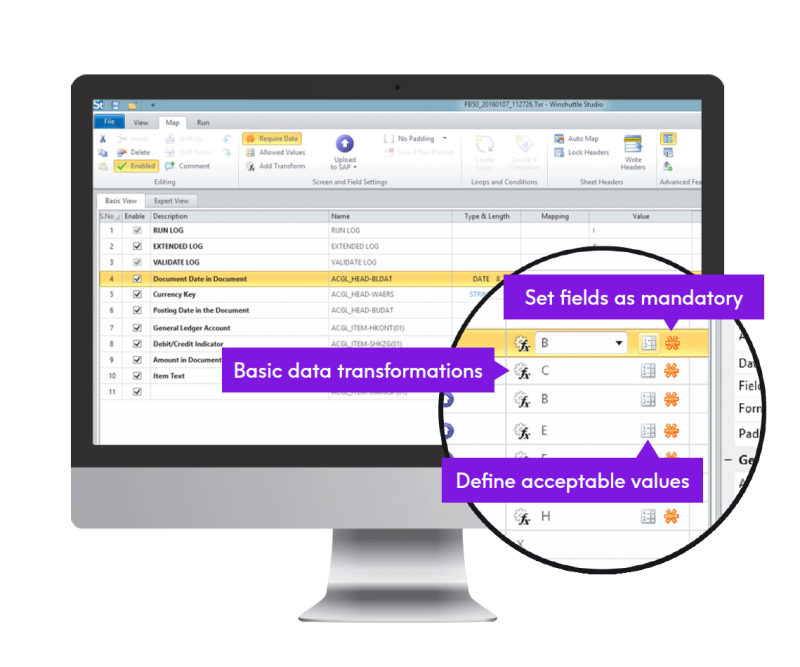






Image showing - Designer

Designer


Quickly design and publish secure web forms for SAP


Watch Designer overview

Watch demo

View in-depth demo of Designer

Register now

Customer success

With Winshuttle, you can import massive amounts of data directly from a spreadsheet, which is a format that employees know and understand. It’s changed how we approach all kinds of SAP data.
Lynn Farrell, SAP HR and Payroll Manager, Southwark Council

Why use it?

Winshuttle Designer™ allows non-technical users to securely create forms-driven processes on top of an SAP deployment. Companies can simultaneously improve business efficiencies and increase their competitive edge while enhancing the SAP end-user experience.

Users can create forms that suppliers, customers, and partners can use, inside or outside of an organization. Because Designer requires no technical knowledge of SAP, companies can avoid the typical overhead costs associated with programming and development.


Calculate my ROI
BACK TO TOP

What can it do?

Designer allow business users to create secure web-based forms to be used as a front-end for SAP processes. Users can easily automate form-driven business processes, such as maintenance requests, purchase requests, expense reimbursement requests and internal requisitions.

Whether someone needs to use a form at their desk or in the field, Designer supports data input and submission from a variety of endpoints. Additionally, built-in data validation ensures the completeness and integrity of the SAP data.

Key features of Designer

  • Drag-and-drop controls to create forms
  • Easy-to-use swim lane-based graphical workflow design
  • Automatic, sophisticated data validation
  • Business rules (dynamic forms)
  • Save and load partially complete forms
  • Dynamc, cascading dropdowns
  • Easy integration with database and ERP systems
  • Design form layout with Microsoft Office
  • Deploy to end users via SharePoint

Sample workflow with looping
Workflow example with two loops
Plant maintenance form in action
Image of Winshuttle Forms implementing a plant maintenance update - IW31

Download white paper
BACK TO TOP

How does it work?

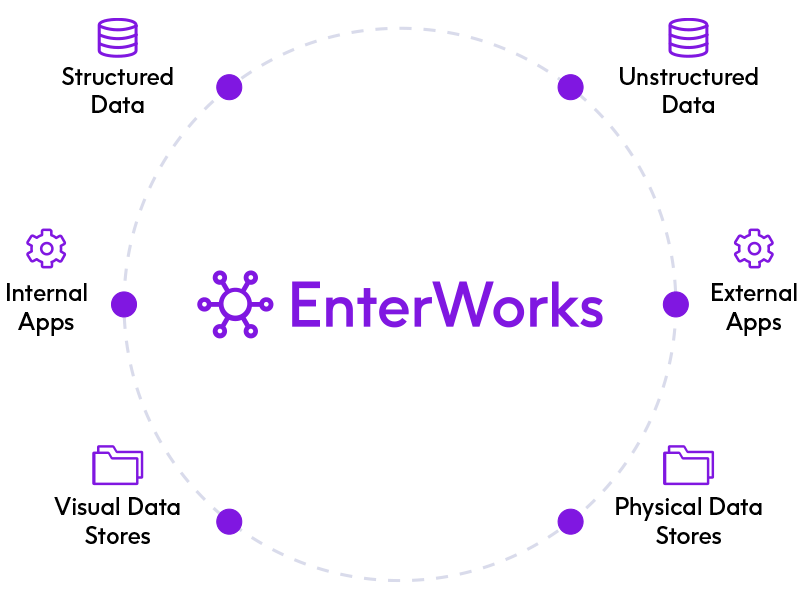
Designer connects the structured transactional data stored within SAP and the unstructured, document-based information and processes that reside within web-based forms, content management systems, and portals. This direct interaction enables companies to reduce operational costs and increase business process agility via automation and increased data accuracy.

Winshuttle Central™ is required to store and govern the forms that users create with Designer. Winshuttle Server™ Designer Services is also needed to enable the use of web services to publish and execute online forms.


BACK TO TOP

FAQs


What products and licenses are required to create forms?

The Designer client (part of Winshuttle Studio™) and its associated license are required to create forms. The client has two components: designer and workflows. The client application is available as both a browser-based and a desktop solution. Users can access the browser-based solution via Server forms services. Installation links for the desktop client are available from Winshuttle.


BACK TO TOP


Start with Winshuttle today
US +1 (800) 711-9798
UK +44 (0) 208 704-4147


Improving ERP usability
and customer profitability

  Share


© 2012 Winshuttle, LLC. All rights reserved.