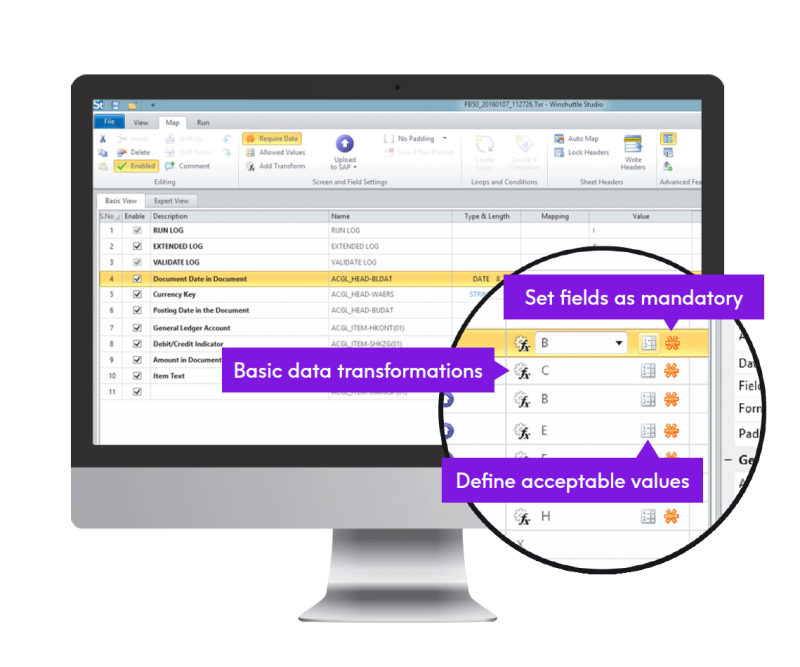
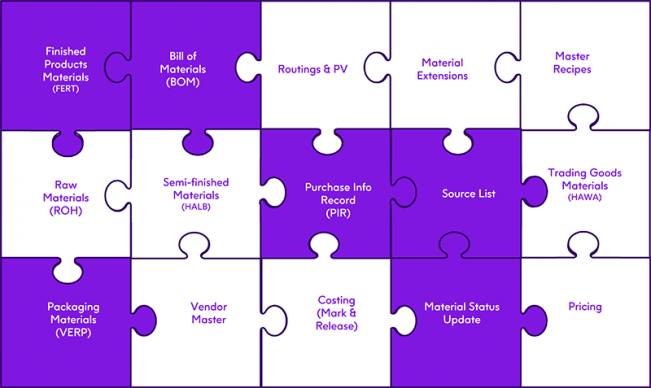







Inputting new data into SAP, either master or transactional, is a vital function of all departments in a business to keep operations running smoothly. Some simple examples include new hire actions in HR, new purchase orders or contracts in Procurement, new materials and new sales orders in Supply Chain, and in Finance for new assets.
Allowing the use of Microsoft Excel as a front-end to create new master and transactional data in SAP can lead to tremendous efficiencies in a business. With very little training, Excel users are able to create single or multiple records from a single transaction or a chain of transactions. Moreover, in most companies, data to be created in SAP may already exist in Excel. These records can be then loaded easily into SAP using data loading software. Excel sheets can be readily customized by business users to create very easy-to-use and familiar, yet sophisticated data entry front end forms.
Example: Automating Material Master Creation Process at Apotex
At the pharmaceutical company Apotex, each material master record required data entry into a series of four transactions. These transactions involved the creation of basic material data, manufacturer part number data, quality info records, and the final assignment into inspection plants. Manually entering this data into SAP required approximately 30 minutes per material and the company was creating thousands of such materials every year. The business users created a single Excel template where all the required data (relevant to all 4 transactions) for every material was first entered. Once the Excel data were reviewed, the file was loaded automatically into the 4 SAP transactions in seconds using Winshuttle data loading software.
Apotex is now able to save thousands of man-hours every year in the material master creation process.
The spreadsheets below show some examples of data intensive Excel templates setup for data entry automation in different high-value SAP transactions. Below is a Bill of Material (BOM) creation template set up in Excel to load data to the CS01 transaction. Note that a single material, on the header level, may consist of multiple component materials which are listed below it at the detail level. The success and error messages resulting from loading this data into the CS01 transaction are logged in one of the columns of the spreadsheet.
Below is a Journal Entry creation template set up in Excel to load data to the FB50 transaction. The header fields are contained on the top section of the sheet while the line items are towards the lower section. Buttons, linked to Excel macros, are setup to validate data or to post the data into SAP. The resulting document number from the posting is also displayed in the header section.
Many more SAP data entry examples can be found in our Case Study Library.
"With Winshuttle, you can import massive amounts of data directly from a spreadsheet, which is a format that employees know and understand. It's changed how we approach all kinds of SAP data” from mass changes to periodic data cleansing."
- Lynn Farrell, SAP HR and Payroll Manager, Southwark Council
"We're a victim of our own success. I'm adding another member to our team because of the sheer volume of data we're handling with transactionSHUTTLE. This solution has completely changed how we approach and manage many of our projects."
- Peter Hebert, manager of HR data management, RBC
"transactionSHUTTLE gives us the ability to do things we weren't able to do before. We have significantly reduced our manual data entry costs, reduced headcount, and minimized the burden on IT."
- Paul Cahill, Director of Information Technology, Hubbell Wiring Systems
"We have saved over $1 Million in avoided programming, reduced data entry workload costs and Service Level Agreement (SLA) costs."
- Chantal Gauvreau, Business Process Manager, SAP Center of Excellence, Canada Post
"Winshuttle offers the complete automation solution. It's easy-to-install, well-documented desktop software, with excellent technical support"
- Erin Stone, SAP FI/CO Senior Analyst, B. Braun
"Data entry is no longer an IT headache. Our users no longer blame our SAP system and instead fully embrace it."
- Rick Davis, Manager, Enterprise Systems
We now use the term "Winshuttling" to refer to any solution that makes our lives easier.
- Steve Walker, Manager of Supply Chain Systems, Under Armour